

One platform for the full real-estate lifecycle
The full real-estate lifecycle.Launch · Deals · Operations.
For developers, agencies, brokers, building management and social housing — someone accountable at every stage, real numbers for leadership, and an AI assistant working with your team.
- Inventory
- Holds
- Transactions
- Price sheets
- Waiting for me
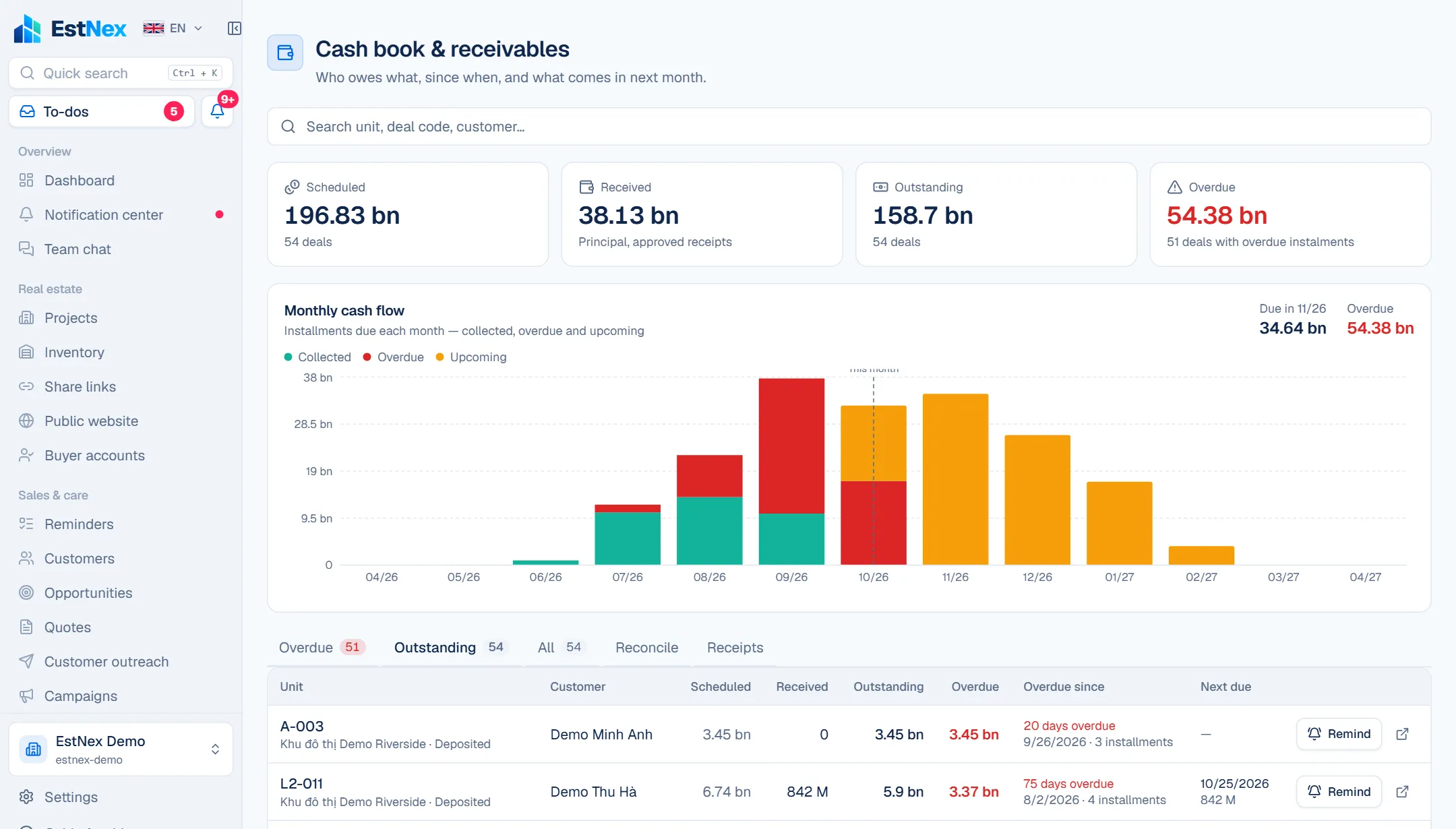
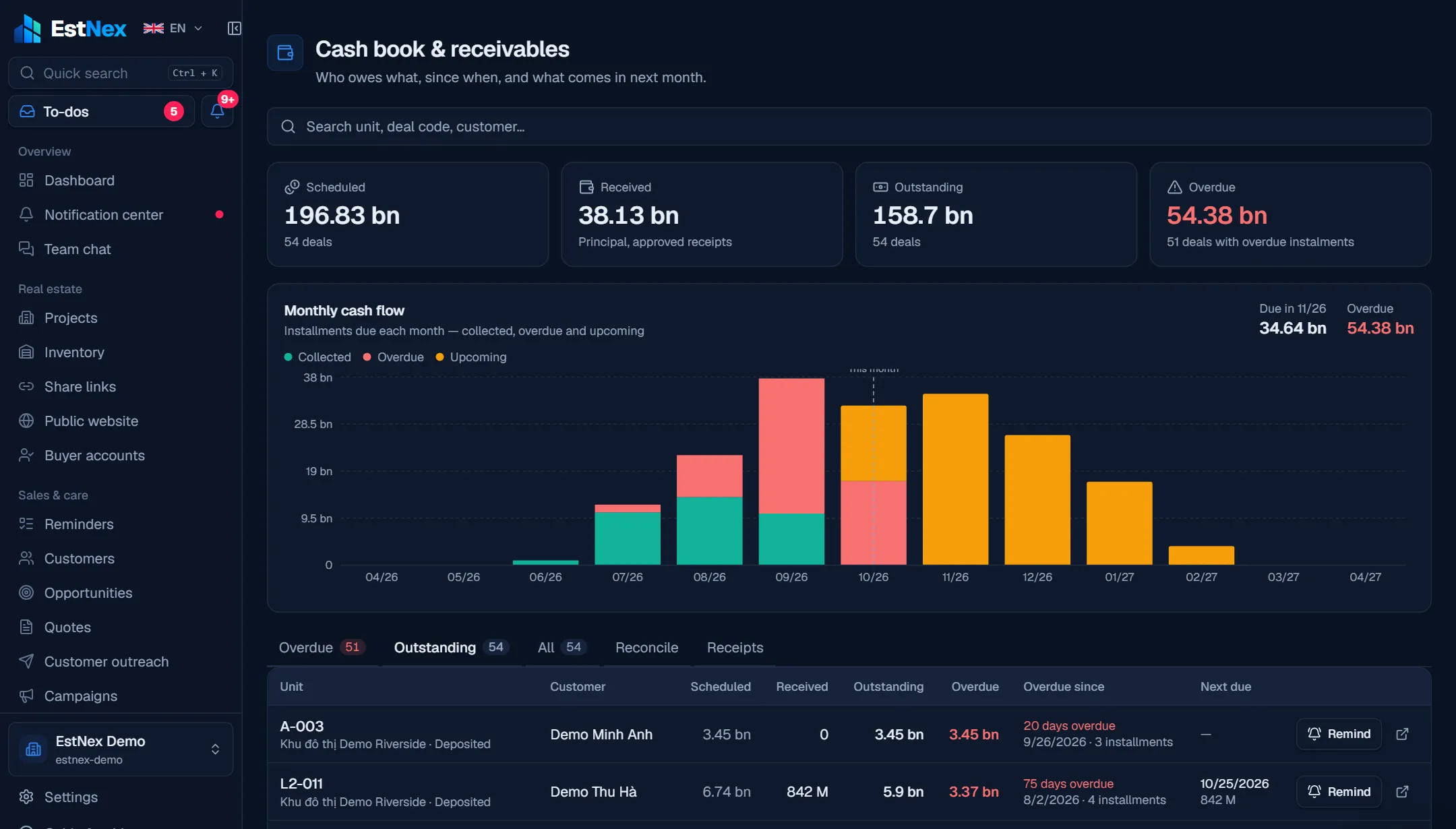
- Cash book
- Share links
- Public website
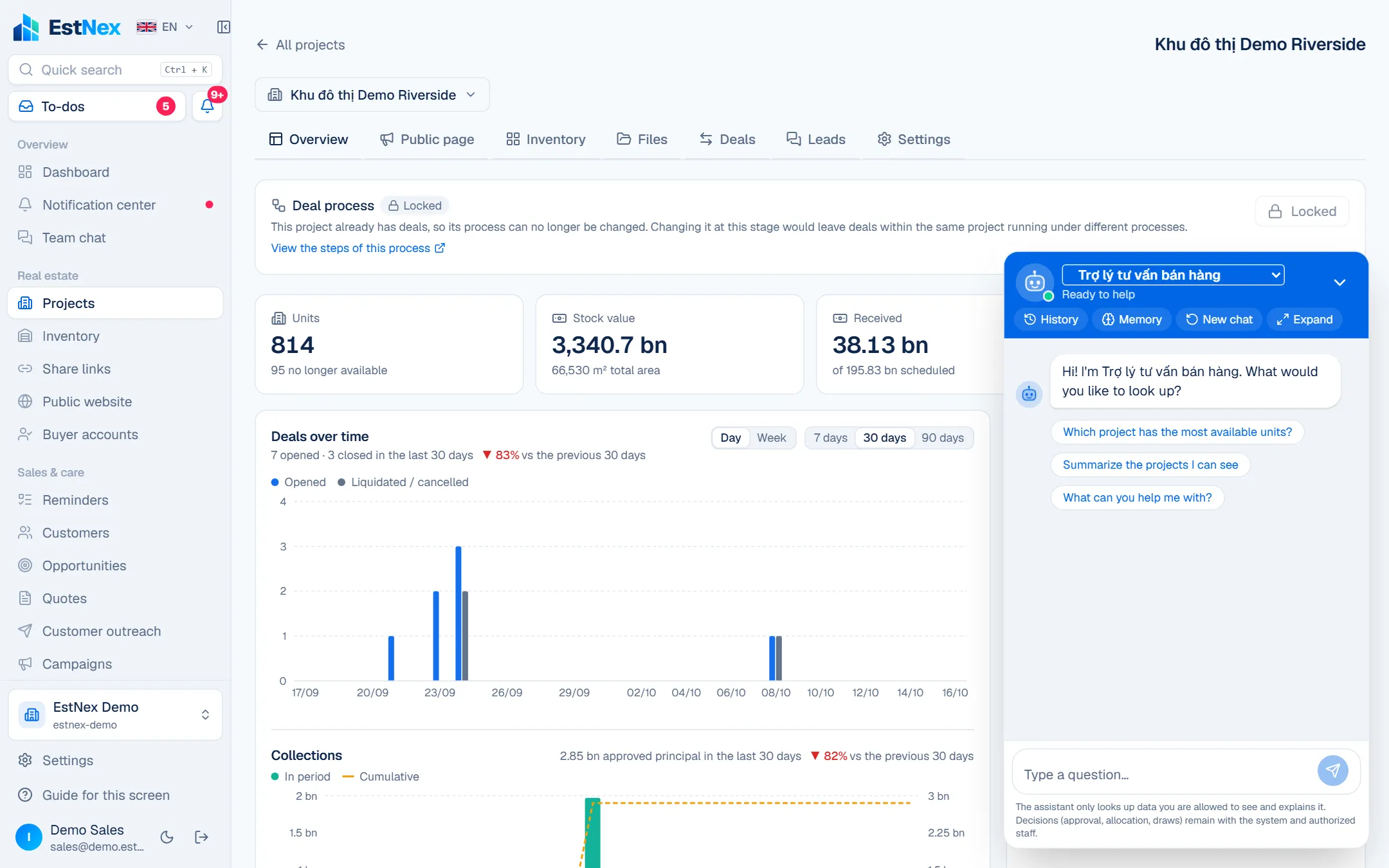
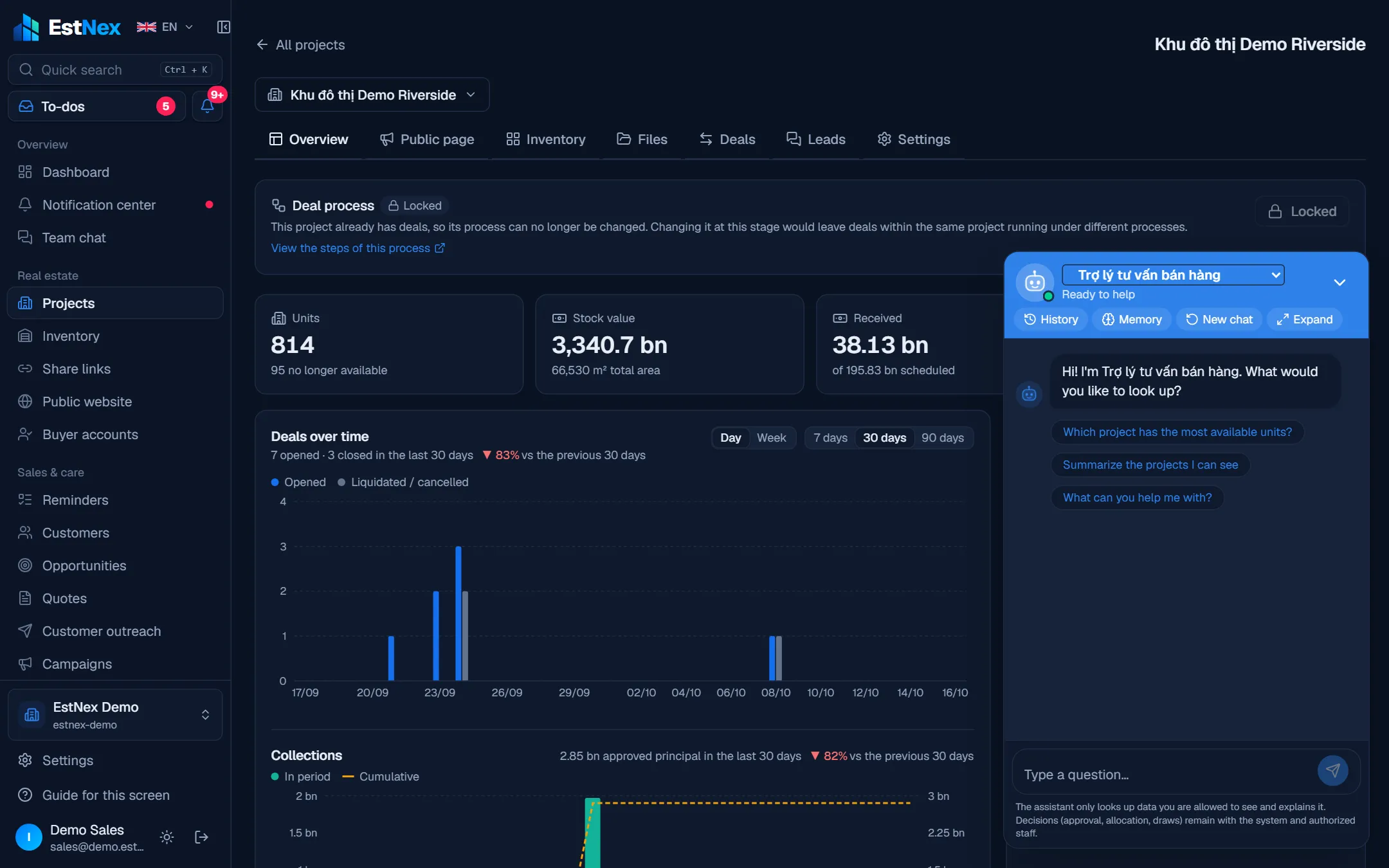
- AI assistant
- Team chat
- Sale rounds
- Draw monitor
- Unit handover
- Service fees & QR
- Resident portal
- Staff shifts
One platform, full lifecycle
Seamless from launch to operations
Every team works on the same data. Pick a stage to see who owns it, what leadership controls and how AI helps.
Launch
Inventory & policy
Sales
Customers & pipeline
Deals
Holds, deposits, contracts
Collections
Receivables & cash flow
Operations
Handover, fees, requests
Care
Residents & leasing
Operations
- Build inventory from Excel
- Pricing policy, split stock across agencies
- Public project website
Leadership controls
Which units are on hold, by which agency; sales velocity per launch
AI assists
Answers visitors on the project site 24/7 — leaving a number creates a lead
Entered once, used across the lifecycle
- Lead
- Buyer
- Unit owner
- Resident
Social housing runs on the same platform. See the module →
Built for each side
Whatever you need — EstNex has it ready
Control launches and cash flow from one screen
No unit sold twice across agencies
Live Inventory; held units lock, with a queue
Discounts that follow policy
Sales policy + Price sheets; above authority needs approval
Know what comes in next month
Cash book & receivables, due reminders, bank matching
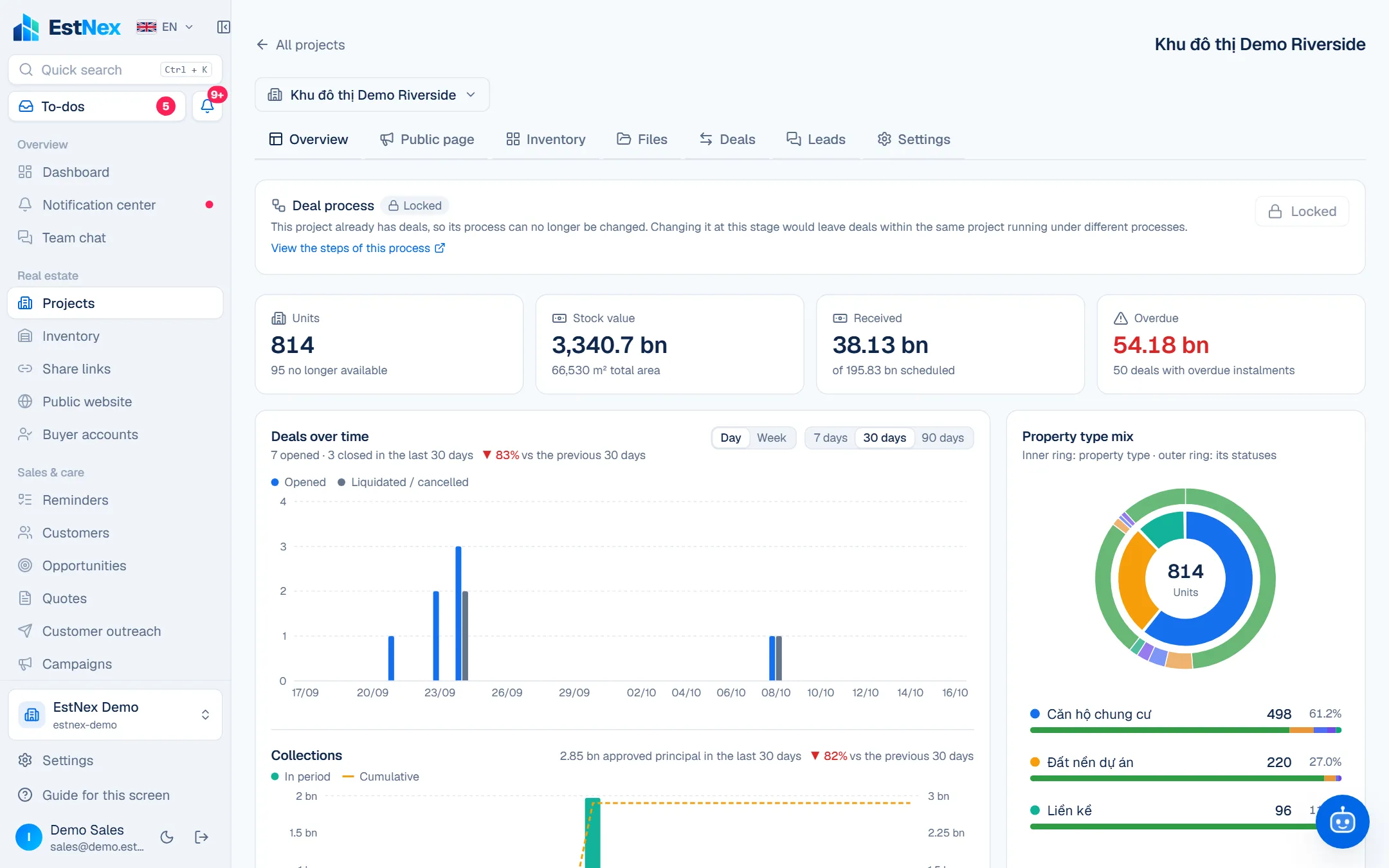
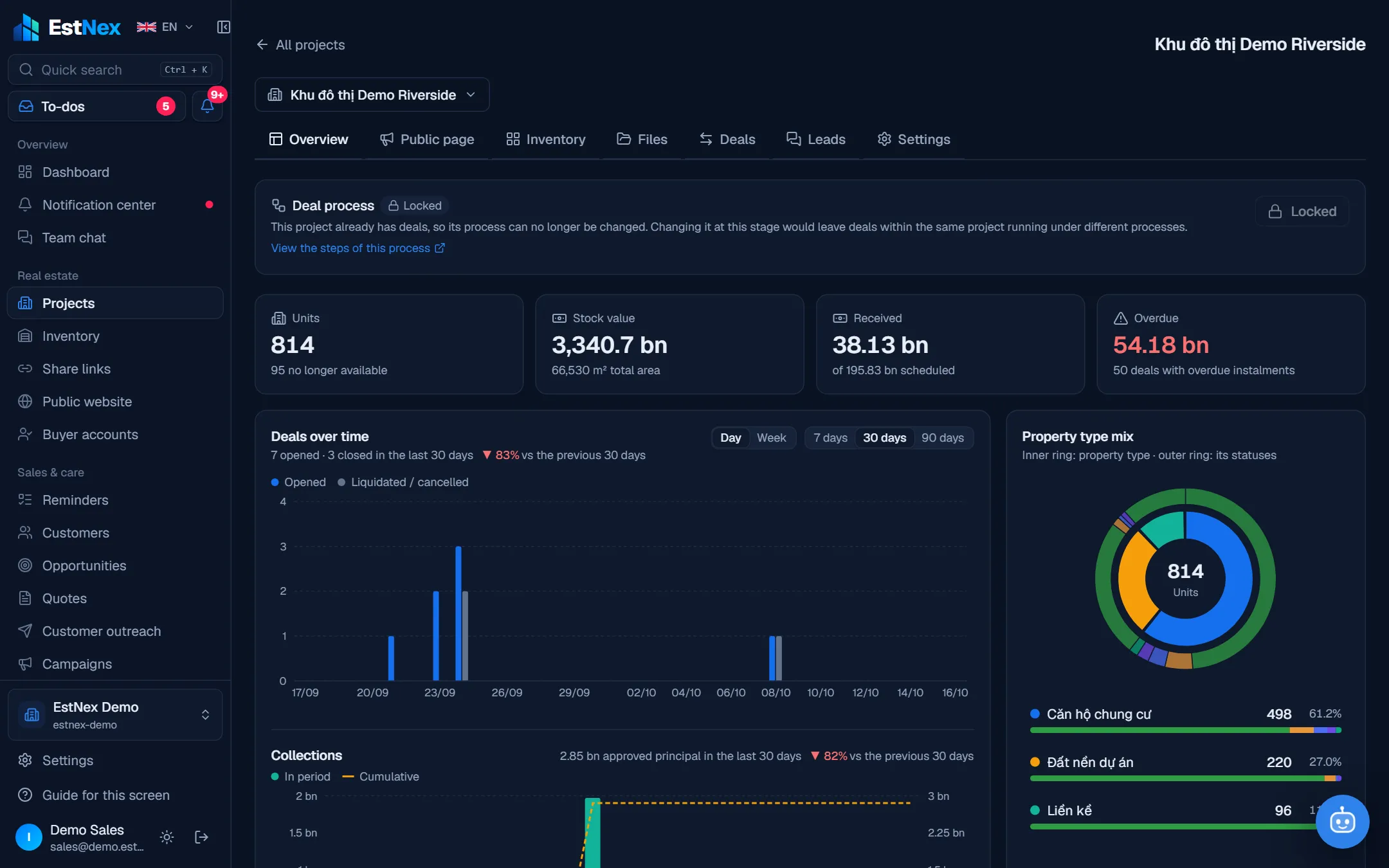
Operations module · New
Keep managing after the sale — on the same system
Sign the handover minutes and the owner appears in the resident records. Building management collects fees by QR with automatic bank matching, handles incidents against deadlines, rosters and assigns work to security, technicians and cleaners — residents follow everything on their own portal.
Paperless handover
Checklists with photos, buyer signs on a tablet, open defects become warranty requests.
Fees that settle themselves
One billing run, fee notices with QR, a transfer with the right code is matched — no manual reconciliation.
Incidents with an owner and a deadline
Each request has a deadline, the right assignee, before / after photos and a resident rating.
Shifts & recurring checks
Weekly roster, daily inspection tasks with checklists; failed checks open incidents automatically.
Included from the Growth plan — 14-day trial with the full module.
Central management
Shared or split inventory — clearly layered work
One system for the whole project. The developer decides whether inventory is shared or allocated per agency; each layer only sees and does its own part.
Agency A
49 units to sell
Agency B
49 units to sell
Agency C
49 units to sell
- 1
Developer
The whole project, policies, cash flow
Allocate inventory · approve · monitor
- 2
Agency
Its allocated basket — own or shared
Hold · quote · coordinate sales
- 3
Salesperson
Their own customers and deals
Reminders · share links · messages
- 4
Buyer
Held unit, payment schedule
Hold online · track each installment
Inventory
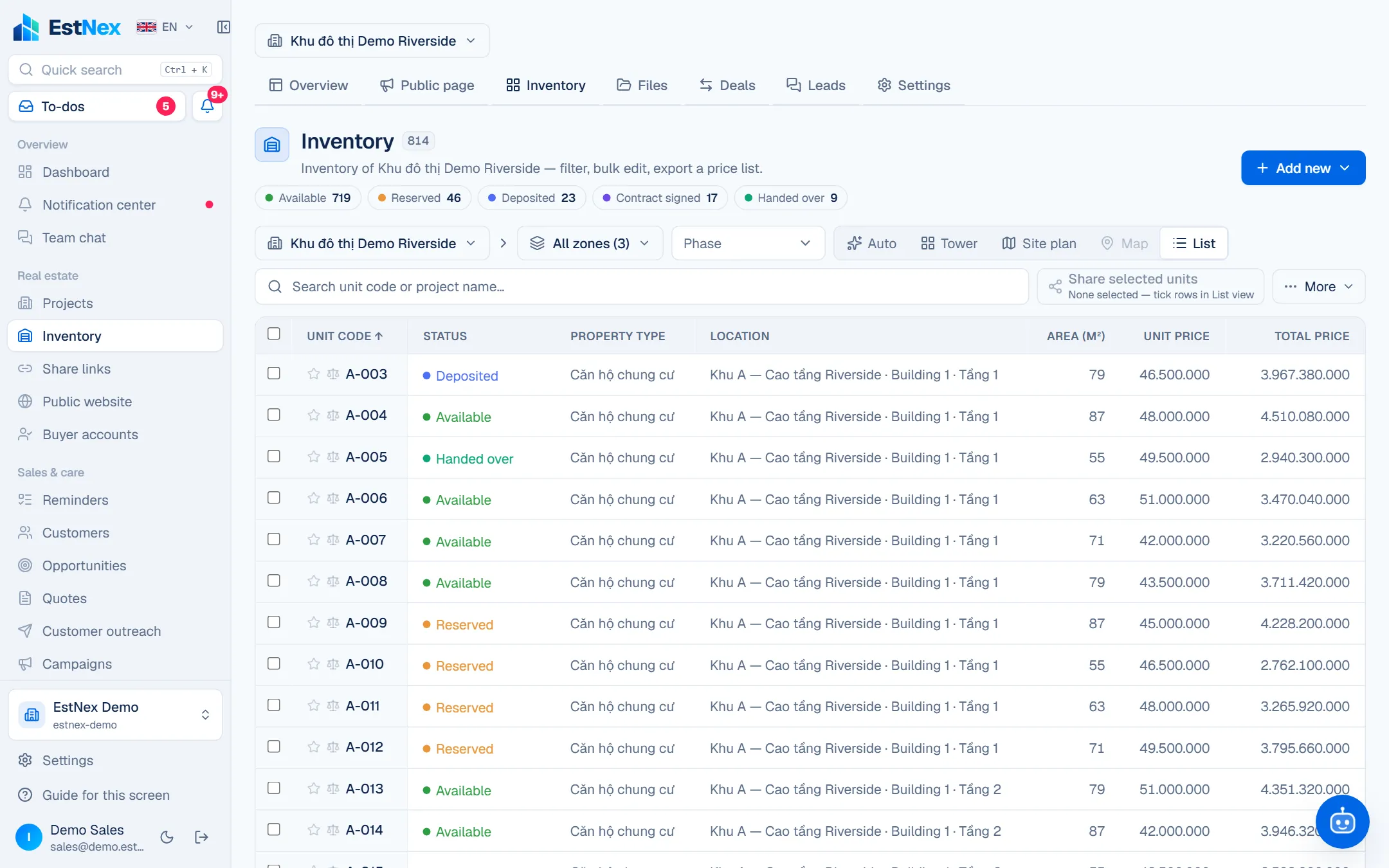
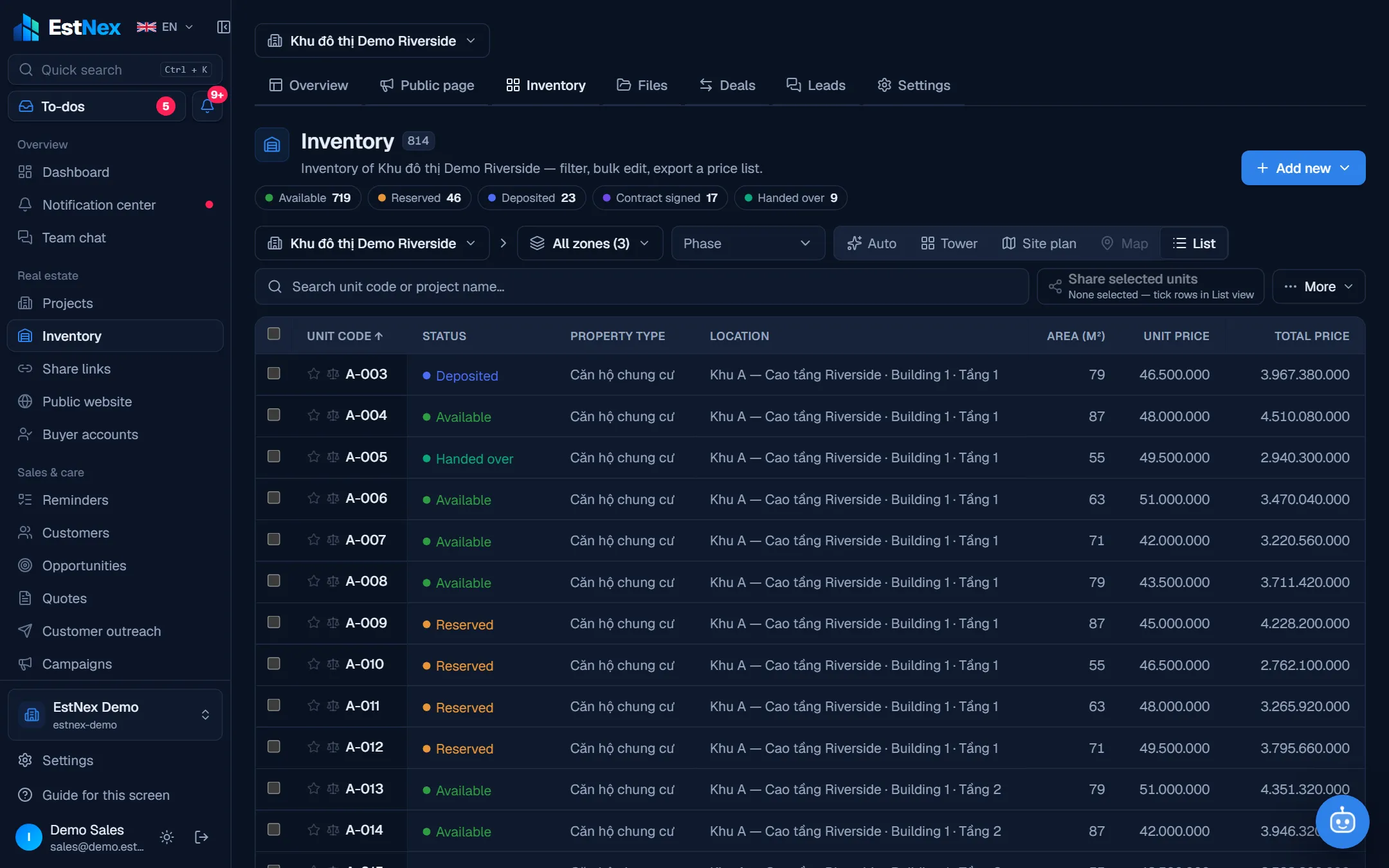
Every property type — one inventory
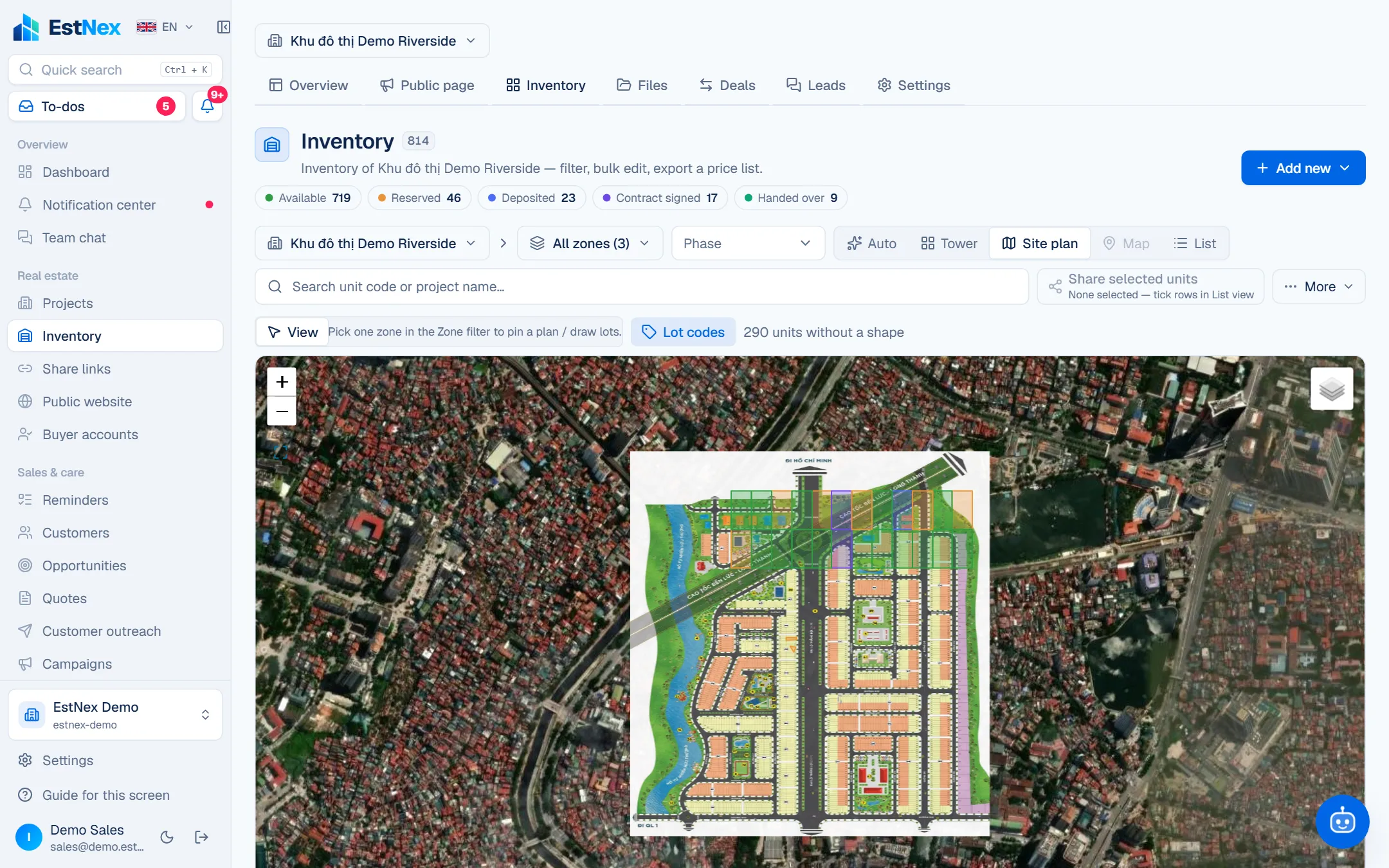
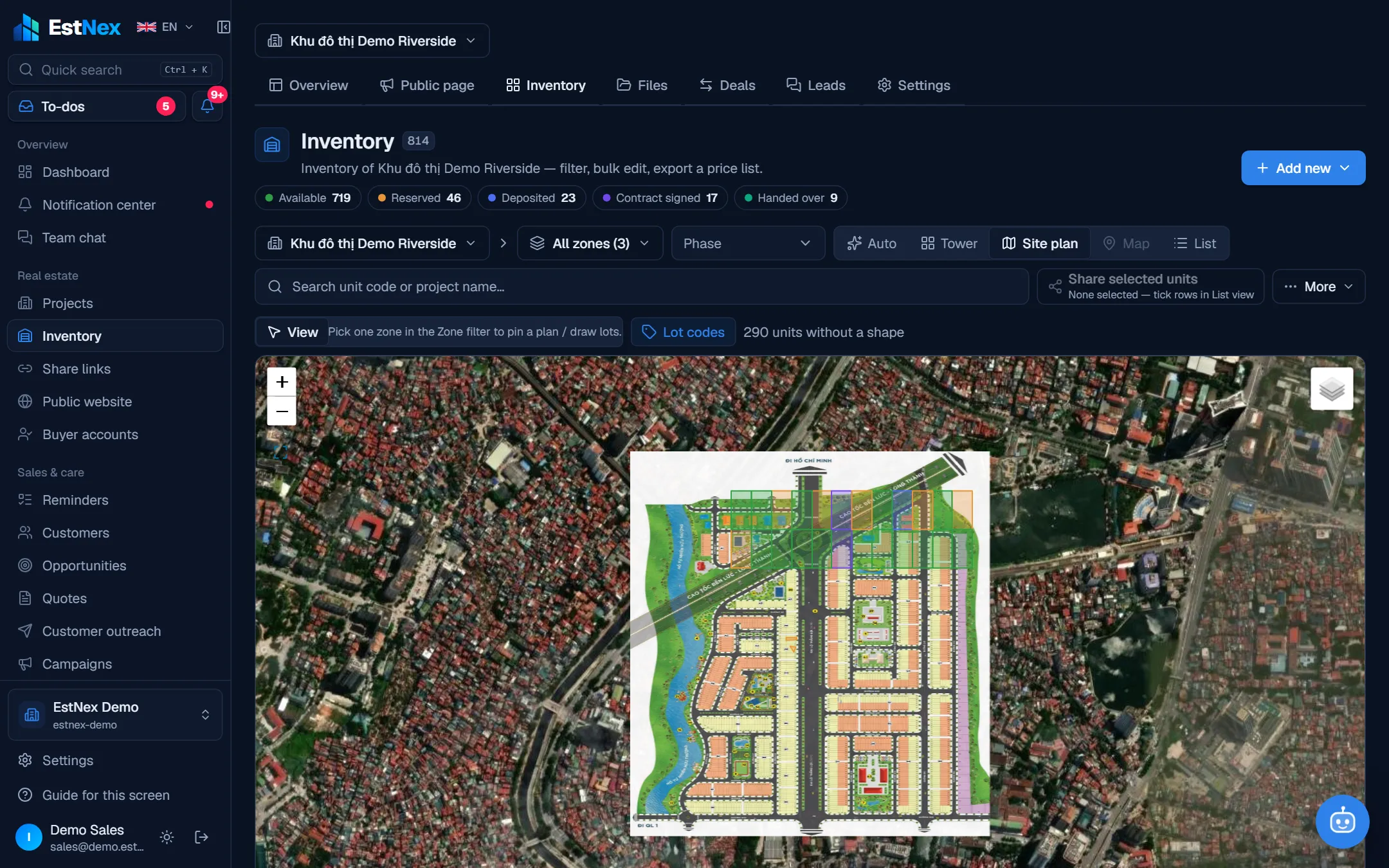
Plot plan on the map, each plot coloured by status — click a plot to hold it.
From Excel to one place
Dozens of spreadsheets and Google Sheets — into one place you control
One inventory file per agency, one price file per round, receivables on the accountant's laptop. Import once into EstNex: columns are matched, errors are checked, and from then on there is ONE source of truth.
- Inventory-Agency-A.xlsx
- Prices-round-2-FINAL-v3.xlsx
- Receivables-Sep.xlsx
- Customers-all.csv
- Google Sheet · Shared basket
Import units from Excel
- 1Pick file
- 2Match columns
- 3Map values
- 4Check
- 5Done
Drop .xlsx, .csv or paste a Google Sheet link
- Inventory
- Customers
- Social-housing applications
- Reads Vietnamese numbers: “3,2 tỷ”, “1.500.000đ”
- Template generated from your own setup
- Undo an import within 7 days
- Export back to Excel / CSV any time
Reports
Numbers report themselves — nobody compiles them by hand
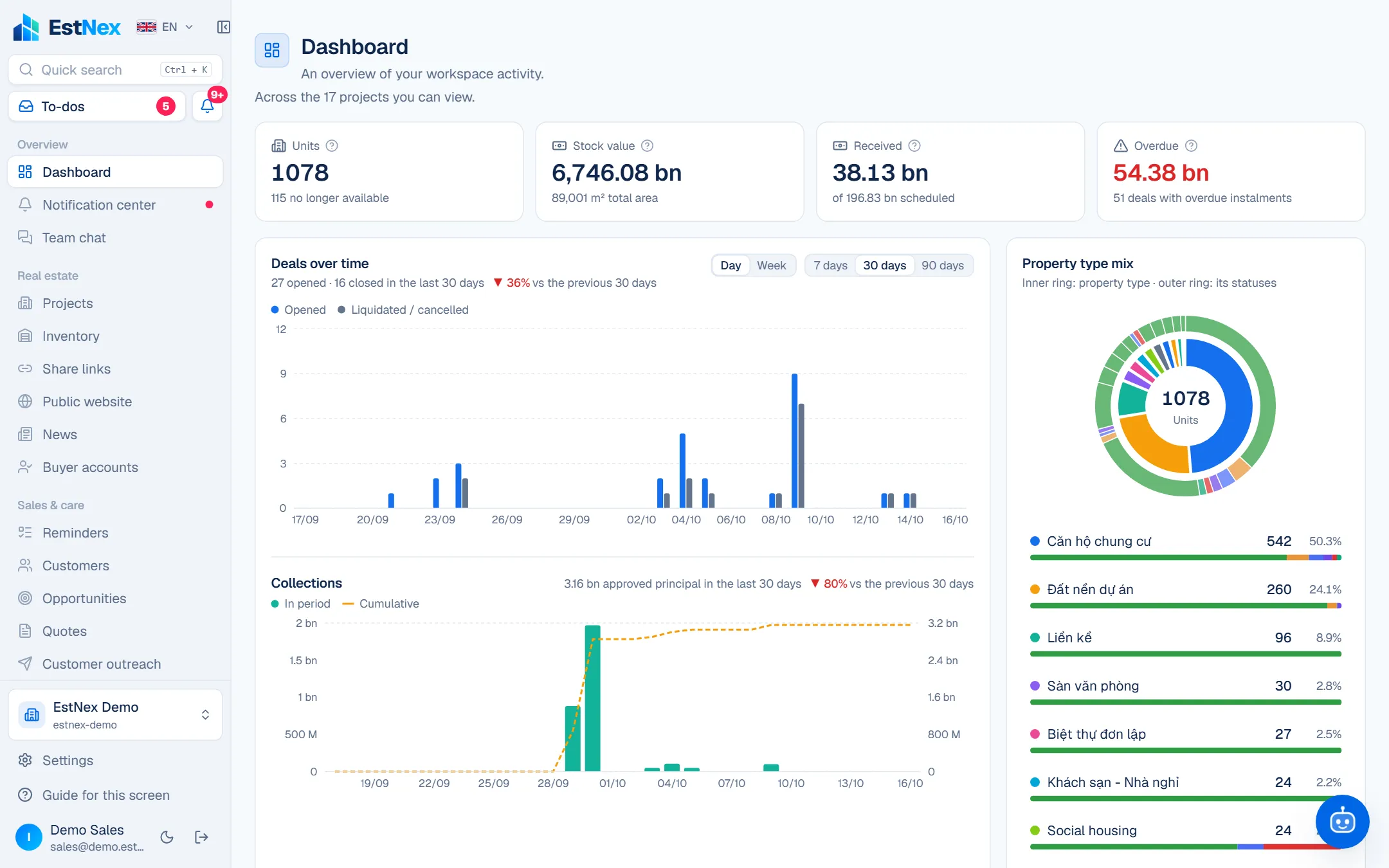
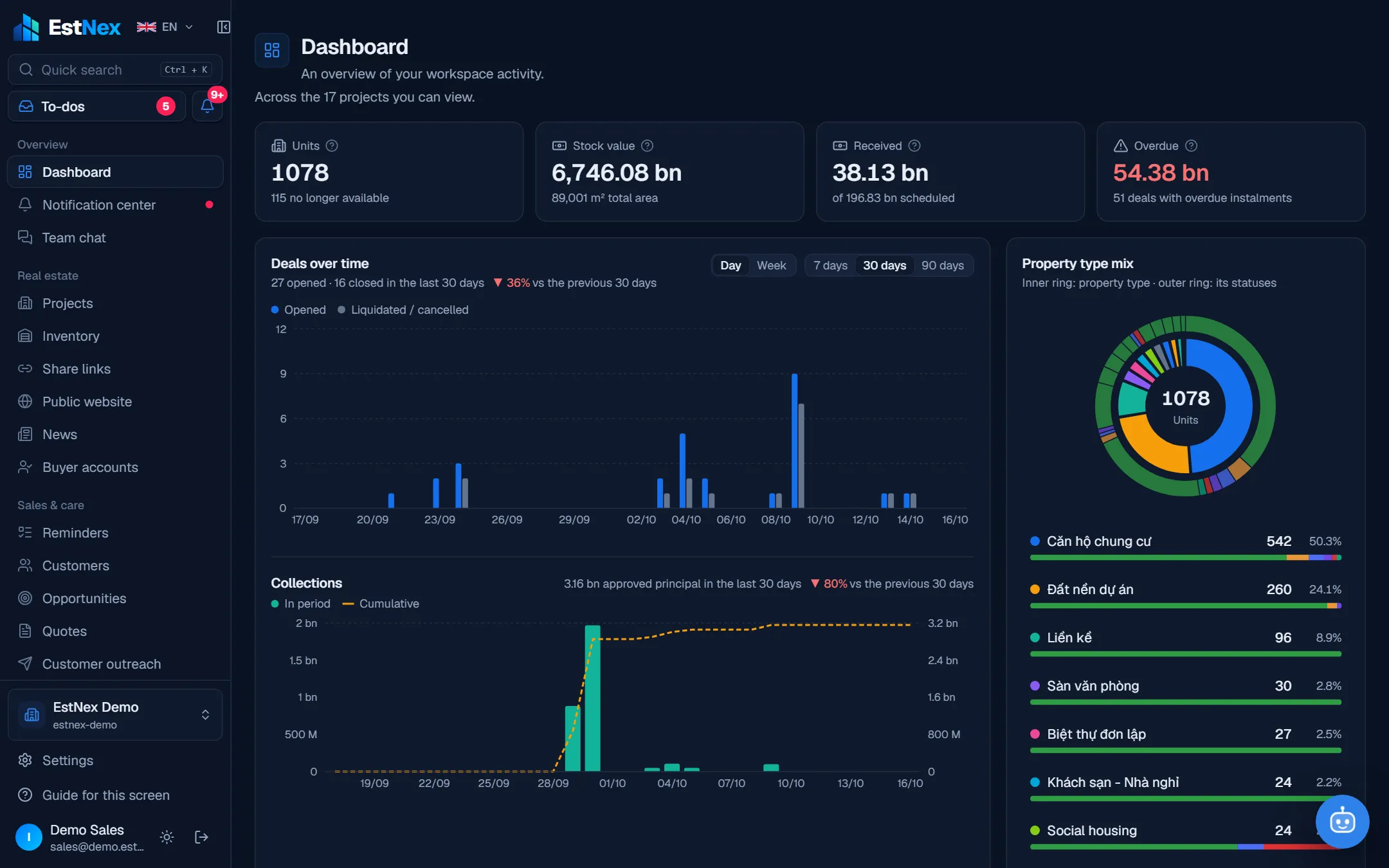
Every hold and every receipt is a row of data. The dashboard adds it up instantly, within each viewer's permissions — directors see the company, agency leads see their team.
- Units · inventory value · collected · overdue — updated by the minute
- Deals and collections by day / week, compared with the previous period
- Property type mix, inventory by status, 90-day sales velocity
- Project comparison, open deals by stage, monthly cash flow
- Social-housing round reports, review productivity, Excel / PDF export
The life of a unit
From Inventory to the final installment — one flow
- 1
Inventory
Import from Excel or build by zone – tower – floor.
- Import units from Excel with validation first
- Floor × unit grid, plot plan, list
- Price, area, orientation, status — changes show instantly
- Share inventory or allocate it per agency
- 2
Share links
Send a unit basket, see when the customer opens it.
- Pick units from inventory, send one link
- Public, password-protected or email-only
- See when the customer opens it, which units
- A click on 'interested' becomes a lead
- 3
Holds
Held units lock; the next request joins the queue.
- Held units lock — nothing is sold twice
- Later requests queue and move up automatically
- Expired holds release the unit
- Buyers hold online and pay the deposit by QR
- 4
Deposit & contract
Documents on your workflow, multi-level Waiting for me.
- Documents on your own transaction workflow
- Price sheets that follow the sales policy
- Multi-level Waiting for me, delegation while away
- Print contracts from templates, addenda for changes
- 5
Cash book & receivables
Schedules, VietQR, reconciliation; reminders before due dates.
- Installment schedules with a VietQR per installment
- Payments auto-match the right installment
- Reminders before due dates, overdue alerts
- Know what comes in next month
AI assistant
An AI assistant that knows your data
Reads real data within each person's permissions. Reminds, looks things up, handles the busywork — but never decides.
Everyone asks differently — the assistant answers for their job
Brokers, sales reps
“Who should I call first today?”
Gathers overdue and due-today reminders; drafts client messages ready to send.
Agencies
“Find 2-bed units under 3 billion, over 60 m²”
Searches the Inventory by price, size and bedrooms — only within the stock shared with you.
Leadership, accounting
“How many deals are overdue on payment?”
Morning brief: approvals waiting for you, overdue deals and the total amount.
Visitors on the project site
“Are there any 3-bed units left?”
Answers 24/7 from publicly approved project information; leaving a number creates a lead.
Social-housing applicants
“What documents do I need to apply?”
Answers eligibility, documents and deadlines right on the social-housing portal.
Building management
“Which requests in Tower A are overdue today?”
Morning brief: overdue requests, shifts not checked in, units behind on fees; create a request by just asking.
Approvals, holds, prices, money and draws always stay with people
Build your own website
Build a project website in minutes — no coding
Toggle blocks, change colours, pick a 3D site-plan template. Your own domain, SEO-ready; when a visitor leaves a number, sales get notified instantly.
Page blocksTry it
Brand colour
Template
- Your own domain
- SEO-ready
- New leads pushed to your phone
Website inside EstNex
No Wix, WordPress or external landing-page tools
The website is built inside EstNex, so data never leaves the system — no lost leads, no editing in two places, no web agency dependency.
- Visitor leaves a numberLands in an inbox / Google Sheet, easily lostGoes straight to Customers – Opportunities, sales notified
- Inventory & pricesEdited by hand, out of syncSynced automatically from Inventory
- Who can edit the siteShared passwords, no audit trailPermissions + activity log
- Cost & dependencySeparate subscription, hired developerIncluded in your plan, edit in minutes
- Customer dataStored on a third-party serverOwned by your company, encrypted, isolated

Waiting for me & Notification center
Approve from your phone — no document left waiting
Who approves, how many levels, which thresholds — all configurable. When it's your turn your phone buzzes; overdue items get reminders, and you can delegate while away.
- Multi-level approval by amount, project, department
- Reminders when overdue, escalation when needed
- Delegate approvals while you're away
- Install it like an app and get push notifications
Social housing
A sale process with the legal basis attached to every step
Each step in EstNex carries the applicable legal provision — quoted verbatim from the official text and checked by legal staff.
1 / 6
Announce the round
Eligible groups, conditions, unit types, documents, deadlines — published on the announcement page.
Legal basis
Decree 100/2024/ND-CP
Article 38, clause 1, point b
“Information must be published at least 30 days before applications start being accepted”
Features
Everything for the whole sales lifecycle
15 groups, 110+ features on one dataset. Click a group to see the details.
Security & deployment
Your data stays yours
Subscribe or buy outright
Use it in the cloud monthly / yearly, or install it on your own server — the same software.
Isolated per company
Each company's data is isolated at the database layer; personal ID numbers are encrypted.
Right person, right project
Everyone only sees the customers, transactions and sale rounds within their assigned scope.
Activity log
Who did what, when, on which record — work done by the AI assistant is marked separately.
CloudOn-premiseWeb · iOS · Android (PWA)
Pricing
Public pricing — start free
Pay by size; go over a limit and you only pay for the extra. Large companies can run it on their own server.
Dùng thử
Xem thử phần mềm trước khi quyết định
Free
Khởi đầu
Nhóm bán hàng nhỏ, một dự án
1,490,000 VND / month
Tăng trưởng
Chủ đầu tư nhiều dự án, có phòng kinh doanh
3,990,000 VND / month
Doanh nghiệp
Quy mô lớn, cấu hình theo hợp đồng riêng
Contact us
FAQ
You ask, EstNex answers
Is there a free trial?
There is a free plan to get started: create a workspace, import inventory, invite colleagues. Upgrade inside the app when you need more members, projects or features.
Is my data safe?
Each company's data is isolated at the database layer, personal ID numbers are encrypted and every action is written to the Activity log. Companies that need data on-premises can install EstNex on their own server.
Is there a mobile app?
EstNex runs in desktop and mobile browsers, installs to the home screen like an app and sends push notifications (approvals, new leads, installments due).
We use Excel today — how do we switch?
Inventory and customers import straight from Excel templates. An EstNex specialist helps you set up your first project during the demo.
Does the AI assistant decide for me?
No. It looks things up, reminds, logs notes and drafts content within your permissions. Approvals, holds, prices, money and draws are always done by people.
Can an agency sell for several developers?
Yes. One account can belong to several workspaces and switch between them; each developer's data and permissions stay separate.
See EstNex running on your own workflow
30 minutes online: we set up a demo project the way your company sells, and walk through the AI assistant and the social-housing module.
- Free plan to get started
- Import inventory and customers from Excel
- Cloud subscription or your own server